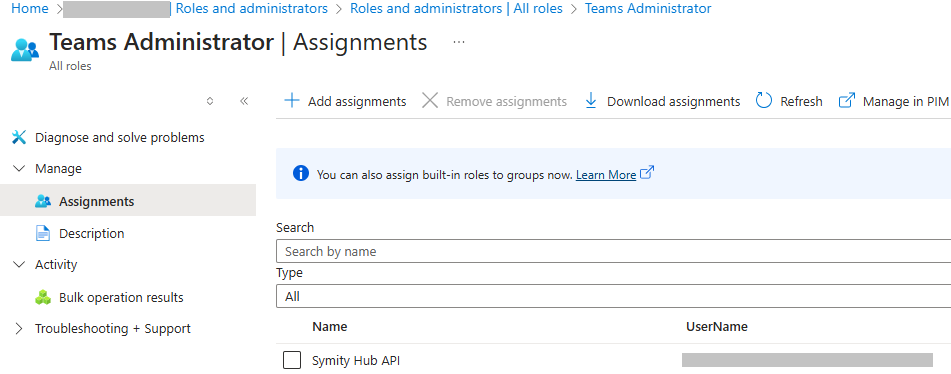
Tenant Configuration
In order to access Symity Hub you will need to perform some actions within your Microsoft tenant in order to link the systems. The steps below detail how to achieve this.
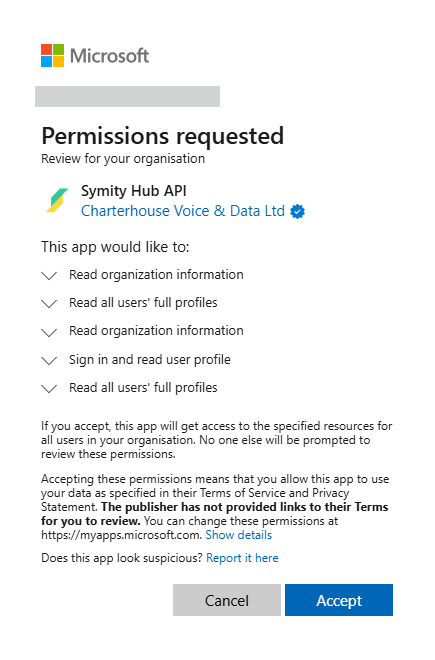
Step 1 : App Registration authorisation
You will be provided with a link to an application registration which needs to be authorised by someone within your organisation who has Microsoft Azure Global Administrator rights.
Step 2 : Role assignment
Once the application has been authorised, it will appear in Azure>Enterprise Applications. To complete the integration this needs to be granted the Teams Administrator Role
- From a browser open portal.azure.com and login with a Global Administrator account.
- Navigate to Microsoft Entra ID
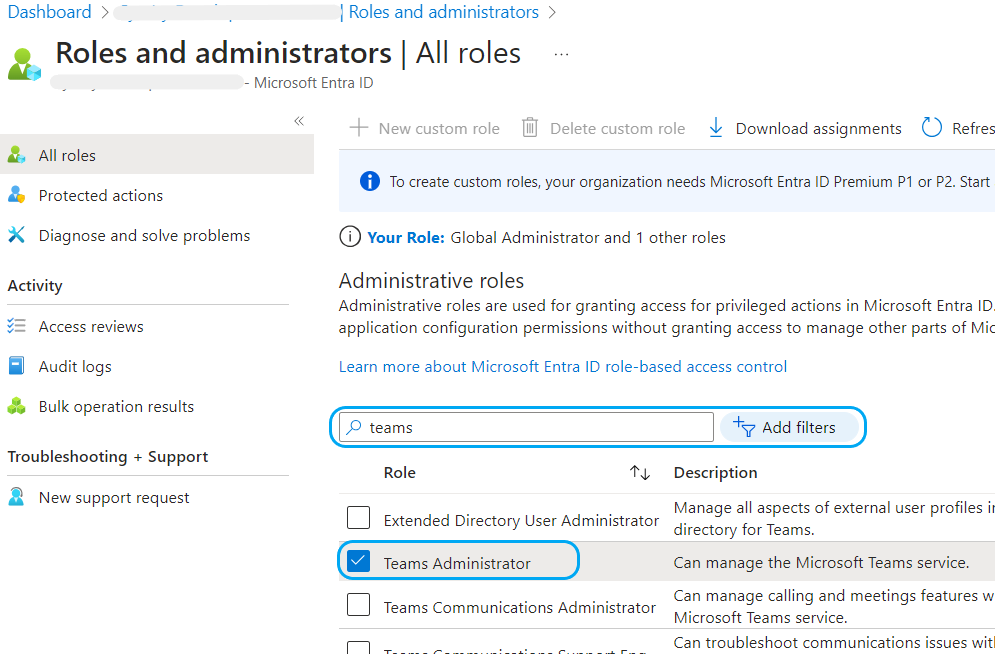
- Select Roles and administrators
- Search for Teams Administrator, click to open
- Click Add assignments
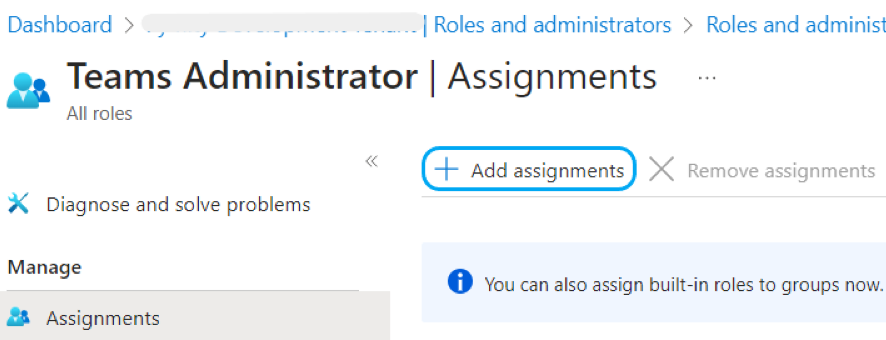
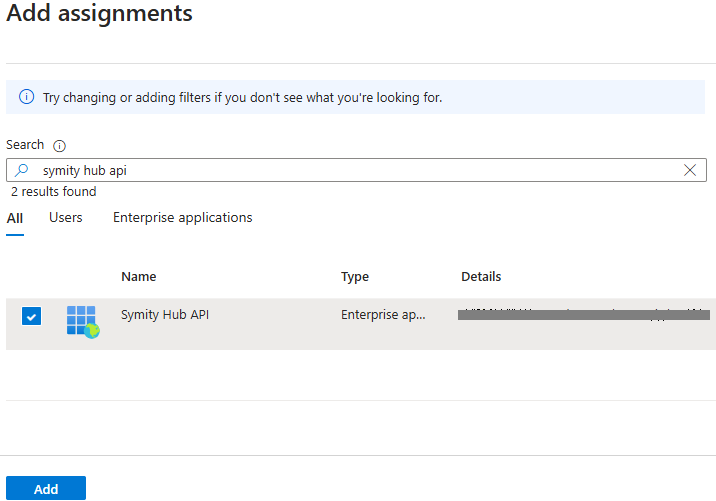
- Search for Symity Hub API, and click to select then Add
- Symity Hub should now appear in the Assignments list